
Streamlined for more clay time.
A ceramicist designed tool to improve your workflow and track all the details you need.

Stage Tracking
Capture a detailed record of each piece and its progression through your workflow.
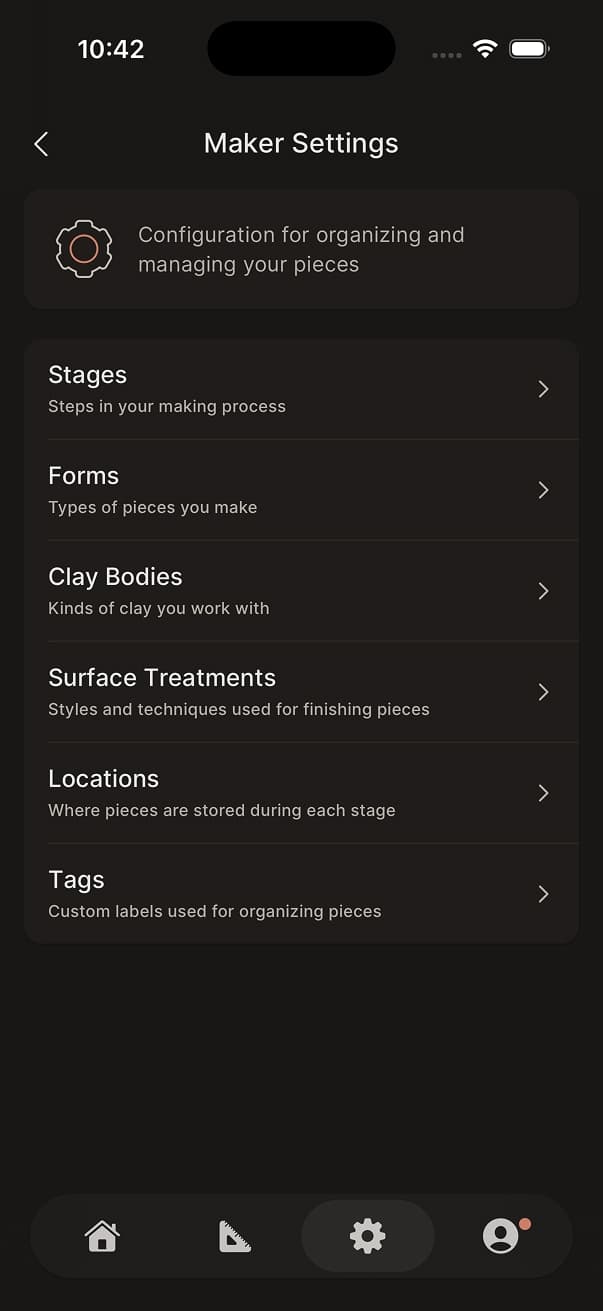
Flexible Configuration
Customize stages, clay bodies, finishes, and more to match the way you work.
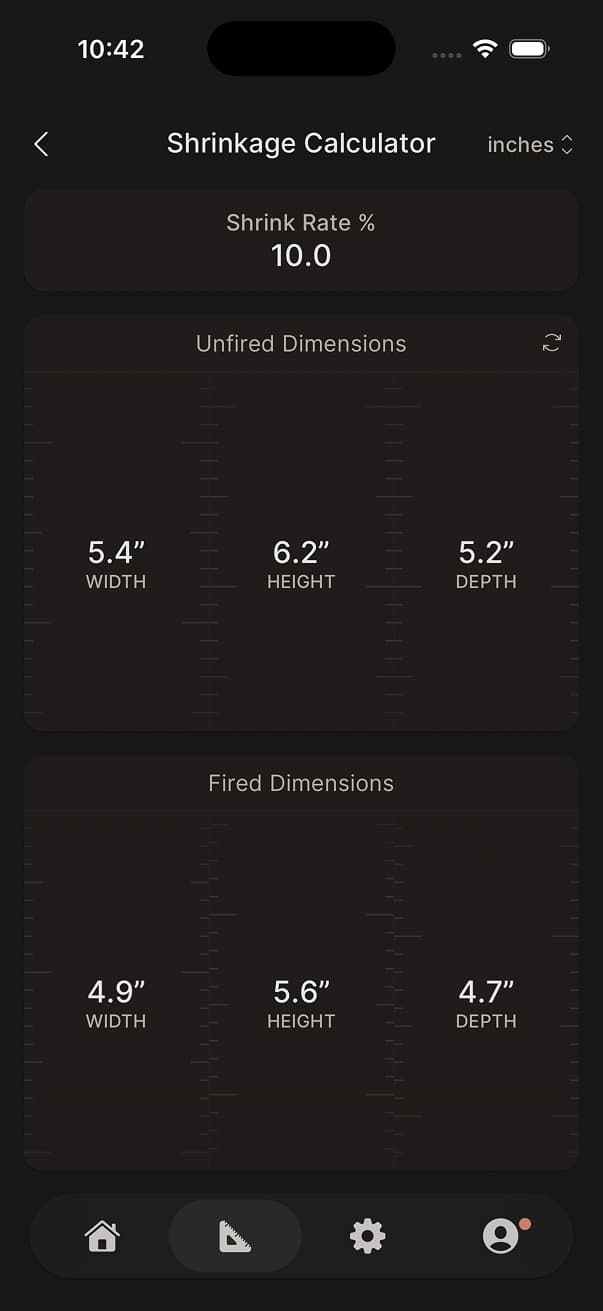
Shrinkage Calculator
Estimate fired dimensions before or after the kiln.
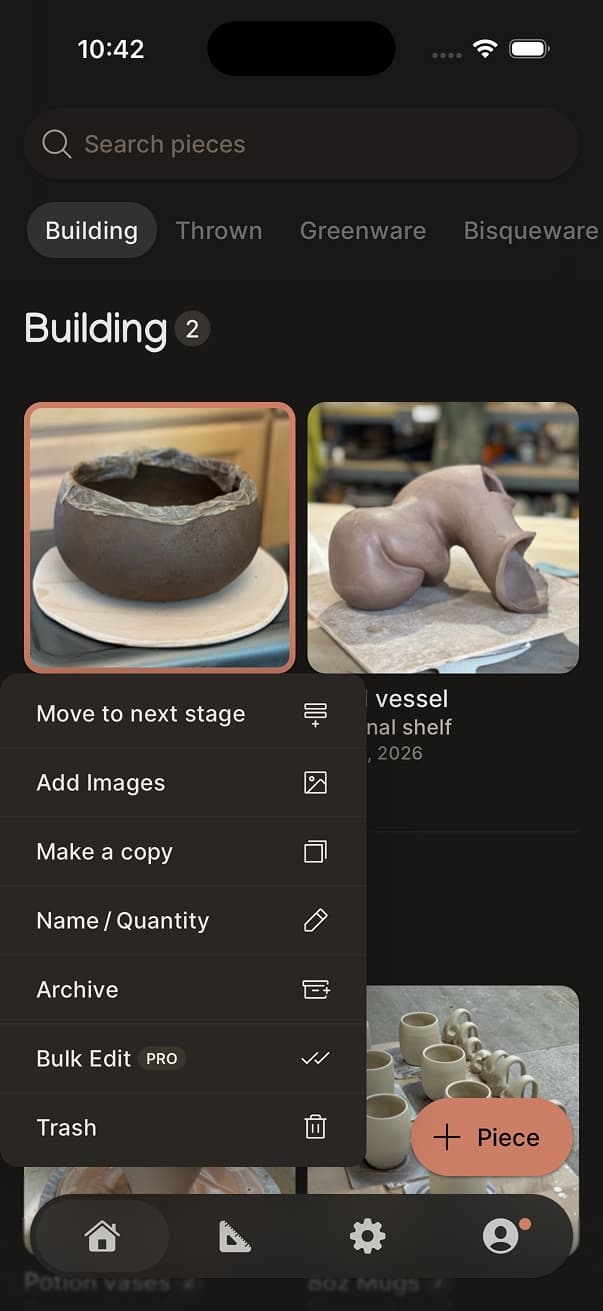
Quick Actions
Move a piece to the next stage, add a photo, or duplicate it without leaving the list.
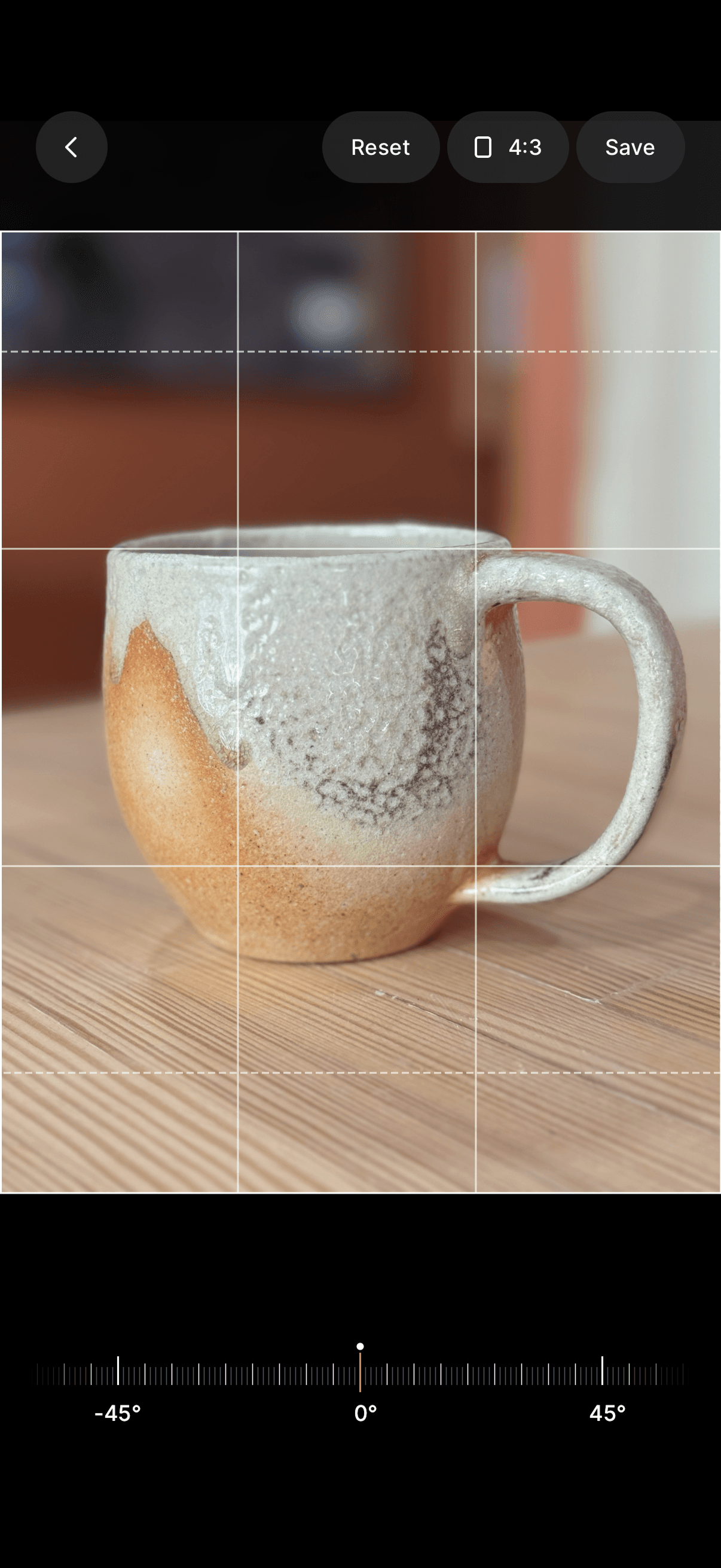
Image Cropping
Use the crop editor to focus in on specific details or pieces within an image.
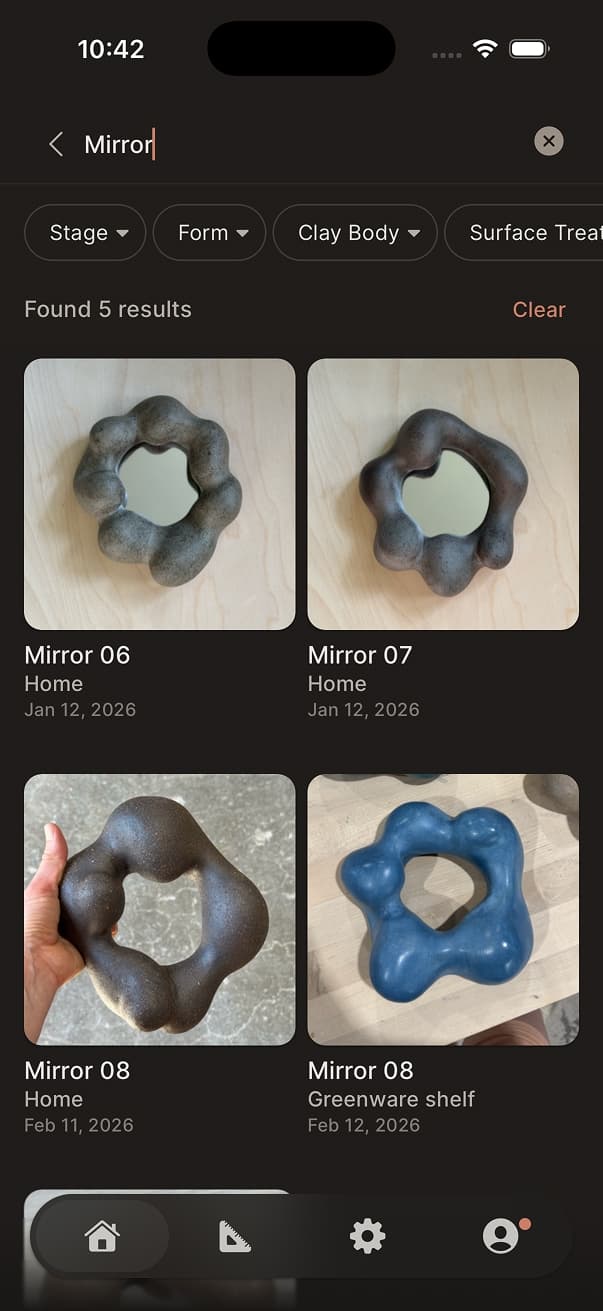
Powerful Search
Find any piece by name, tag, clay body, stage, and more. Pull down on the home screen for instant access.








More ways to help you stay organized.
Cloud Sync
Sign in with Apple or Google to back up and access your pieces across all your devices.
Piece Quantity
Track multiple copies of batch projects under a single piece.
Piece Finishes
Document the surface treatments, application, areas, and notes used for each finish layer of your piece.
Piece Firings
Add firing details including type, cone, atmosphere, and notes.
Clay & Finished Weight
Record both starting clay weight and finished weight.
Tags
Organize pieces into custom collections for easy browsing and filtering.
Archive
Keep focus on active work by archiving older or completed pieces.
Time Tracker
Log the time you spend per piece to help you understand timing with new work.
Image Cropping
Use the crop editor to focus in on specific details or pieces within an image.
Rich Notes
Format piece notes with headings, checklists, lists, and links. Check off tasks right alongside your pieces.
Checklists
Create checklists to help track what needs to be done for your pieces.
Data Backups
Your data protected. Back up and restore your data instantly any time you need to.
Image Gallery
Browse all your piece photos in a full grid view.
Shrinkage Calculator
Estimate fired dimensions before or after the kiln.
Flexible Sorting
Sort by recently used, most used, or name across forms, clay bodies, tags, and more.
Trash
Deleted pieces go to Trash first, so nothing is lost by accident.
Duplicate pieces
Quickly make a copy as a starting point for a new piece or part of a collection.
Maker Insights
A personal dashboard showing your making trends, habits, and output over time.
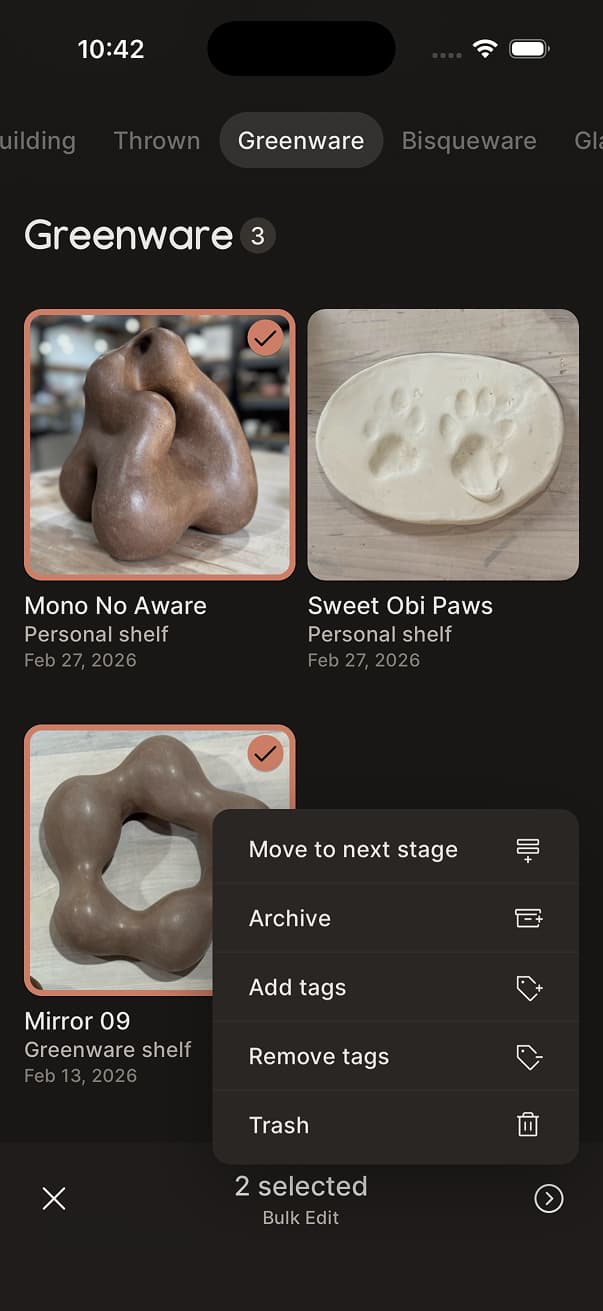
Bulk Editing
Long-press to select multiple pieces and apply actions all at once.
New Piece Workflow
Customize and reorder the steps shown when adding a new piece to match your studio process.
Pro upgrade for serious makers.
More control of your growing work.


Reviews
Discover why ceramicists love using ClayMade.
“Aside from helping me keep projects in order, this app is fun to use!”
“Clean and slick annnd I can configure how the app works for me.”
“Tracking work can be such a pain, but I WANT to use this app.”
“I love how easy it is to keep track of the projects I'm working on.”
“Love it! It’s really improved my workflow. I’ve been directing lots of people to it in the studio.”
“All in one place to manage; simplistic features that don’t require me to click more than necessary.”
Frequently asked questions
If you have anything else you want to ask, reach out to us.
How do I find out about new app updates?
We have an Instagram account where we post about upcoming releases and feature updates.
Can I request new features?
Certainly! We love hearing from our users and are always looking for ways to improve the app. You can use our feedback form or send us an email with your suggestions.
Will the app work on my phone?
Currently, ClayMade is only available on the App Store for iOS 13.4 or later. We are also considering an Android or mobile web app version in the future if there is a large enough interest.